Release notes
You will find here every month the latest news about IDECSI's products. Don't hesitate to connect to access the knowledge base or the courses.
4.83
(13/01/2026)
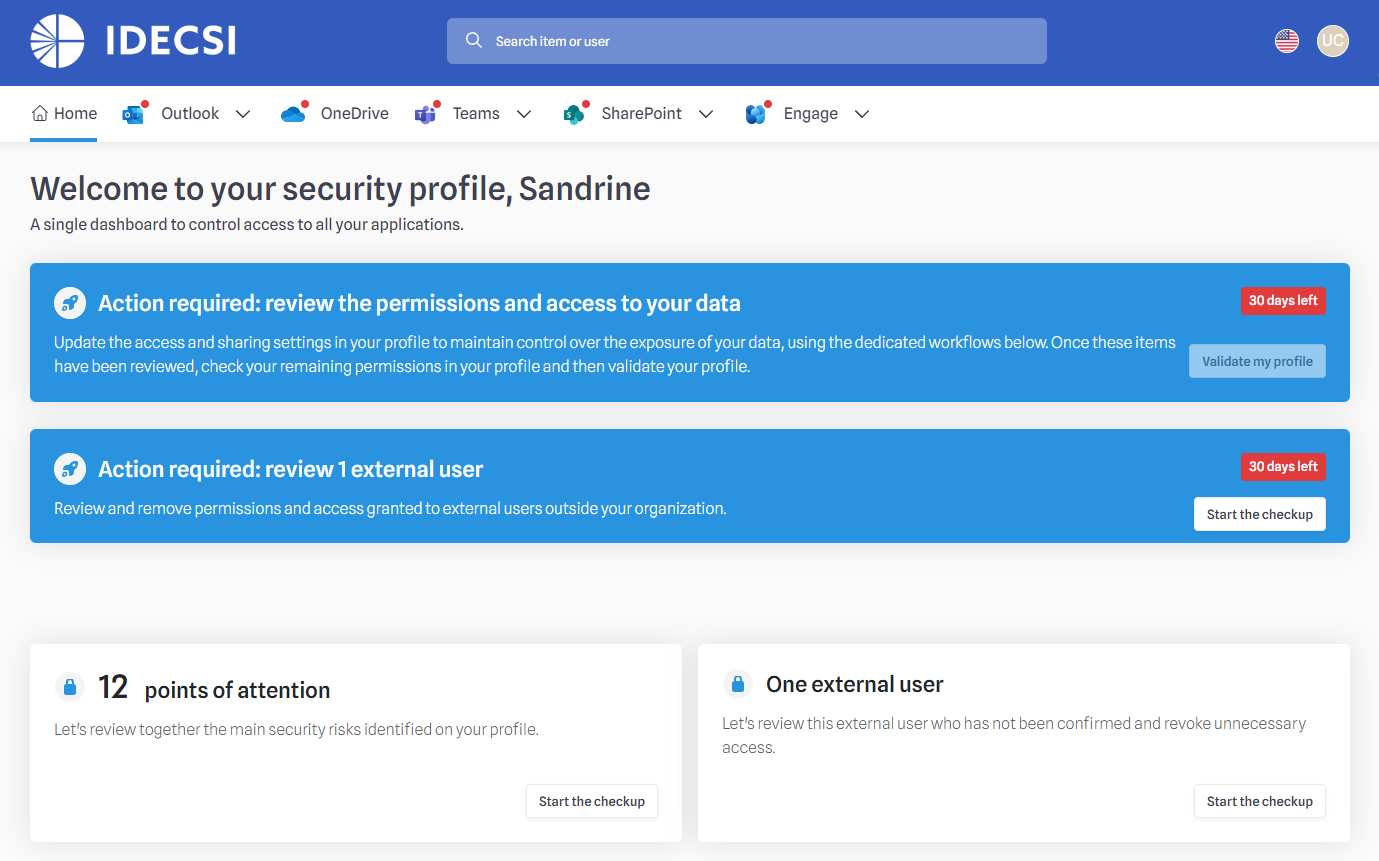
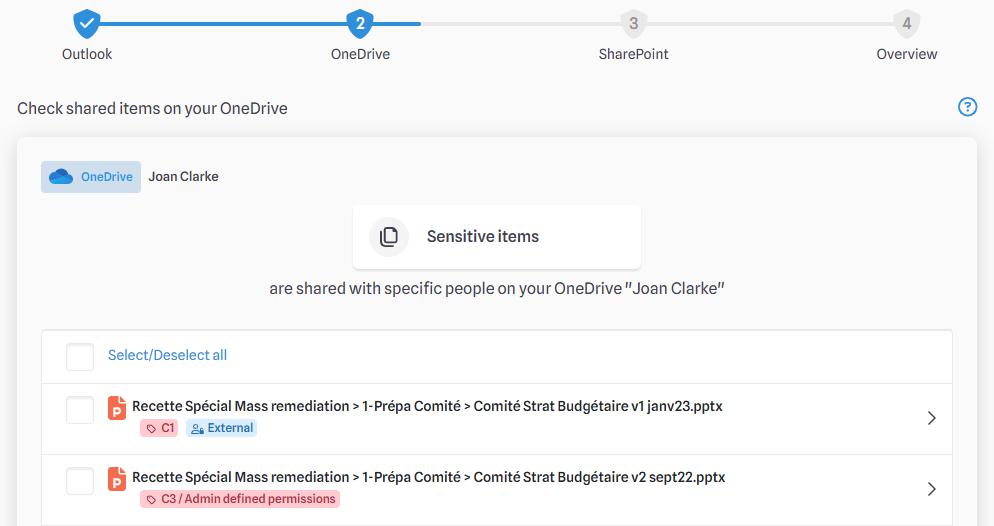
A new module is now available to strengthen your security posture regarding external access. The "Externals CheckUp" allows end-users to review external users with accesses on their personal and collaborative resources.
A new campaign type "External checkup" enable administrators to invite specific user populations to review their resources' guest and external permissions.
How to use it?
- Enable the checkup in `MyDataAdmin` under "CheckUp Configuration". This can be activated globally or for specific populations through secondary configurations.
- Schedule a campaign in `MyDataAdmin` to invite the users to review external accesses
Our reporting capabilities continue to grow:
SharePoint & Teams Structure : New fields have been added to the SharePoint dataset, including channel types (Private vs. Shared) and parent team IDs, providing deeper visibility into your collaborative structure. A new report page will be available in late January.
Alert Metrics : The Cross Dataset now includes comprehensive alert data from the last 12 months, tracking generated, transmitted, and user-reported alerts for better security trend analysis (Available late January).

SharePoint OnPrem log collection can now be done dynamically.
The system now automatically adjusts the collection frequency based on site activity, ensuring high reactivity for active sites while reducing load for inactive ones.
Access Log Sorting: You can now sort access logs numerically in Permissions Explorer, making it easier to identify highly accessed resources at a glance.
Expired Link Exclusion: Expired organizational and specific sharing links are now automatically excluded from MyDataSecurity calculations to eliminate false positives.
Some bugs have been corrected and technical improvements have been made on our platform.
As part of our transition to a unified administration experience within MyDataAdmin, the legacy campaign management screens have been decommissioned from the Expert interface.
4.82
(09/12/2025)
We have improved transparency within MyDataSecurity to help users better understand the context of their shared items. The interface now explicitly displays who shared a document and when, directly within the MDS modals.
This enhancement allows users to verify sharing provenance and exposure at a glance, facilitating faster and more informed access management decisions without leaving their current workflow.
How to use it?
- In MDS modals, look for the text:
- “Created by you on DD/MM/YYYY”
- or “Created by [email] on DD/MM/YYYY”
- Hover over the grey icon on the right to reveal a “Details” link, which opens the detailed view for that item.
To combat alert fatigue, we have introduced a whitelisting capability for FileMalware alerts. Administrators can now suppress future alerts for known legitimate files based on their SHA-256 hash.
This feature is designed to drastically reduce noise and false positives for SOC analysts, allowing them to focus on genuine threats.
How to use it?
- Navigate to: MyDataAdmin > Configuration > Alerting > FileMalware Alerts
- Use the global toggle to enable the feature
- Add hashes manually or directly from an existing alert
- Once a hash is whitelisted, future detections of that specific file will be suppressed
Administrators can now track the evolution of their tenant's security and storage posture over time. We have implemented a monthly snapshot process that records key KPIs (including storage usage, permissions, and group analytics) into the dataset. This historical data enables trend analysis, helping you measure the long-term impact of your governance actions.
How to use it?
- Data snapshots are automatically taken on the 1st of each month for collected resources.
- Note that historical data availability will start from January 2026.
We have enriched the alerts dataset available for reporting. The dataset now includes standardized date fields and new dimensions for Escalation, Autoclose events, and Feedback qualification. These additions provide a more comprehensive view of alert lifecycles and analyst actions in your custom reports.
How to use it?
- Access the new fields (e.g., EscalationDate, Feedback) in the "Alertes" page within MyDataReport.
To help keep your campaign workspace organized, we have added an archiving feature. Administrators can now hide completed campaigns that are no longer relevant (such as tests or old occurrences) from the main view, reducing clutter while ensuring the data remains accessible if needed.
How to use it?
- In the campaign list, click the "..." menu on any campaign with a "Finished" status and select "Archive".
- You can view and restore these campaigns at any time from the new "Archived" tab.
Some bugs have been corrected and technical improvements have been made on our platform.
4.81
(04/11/2025)
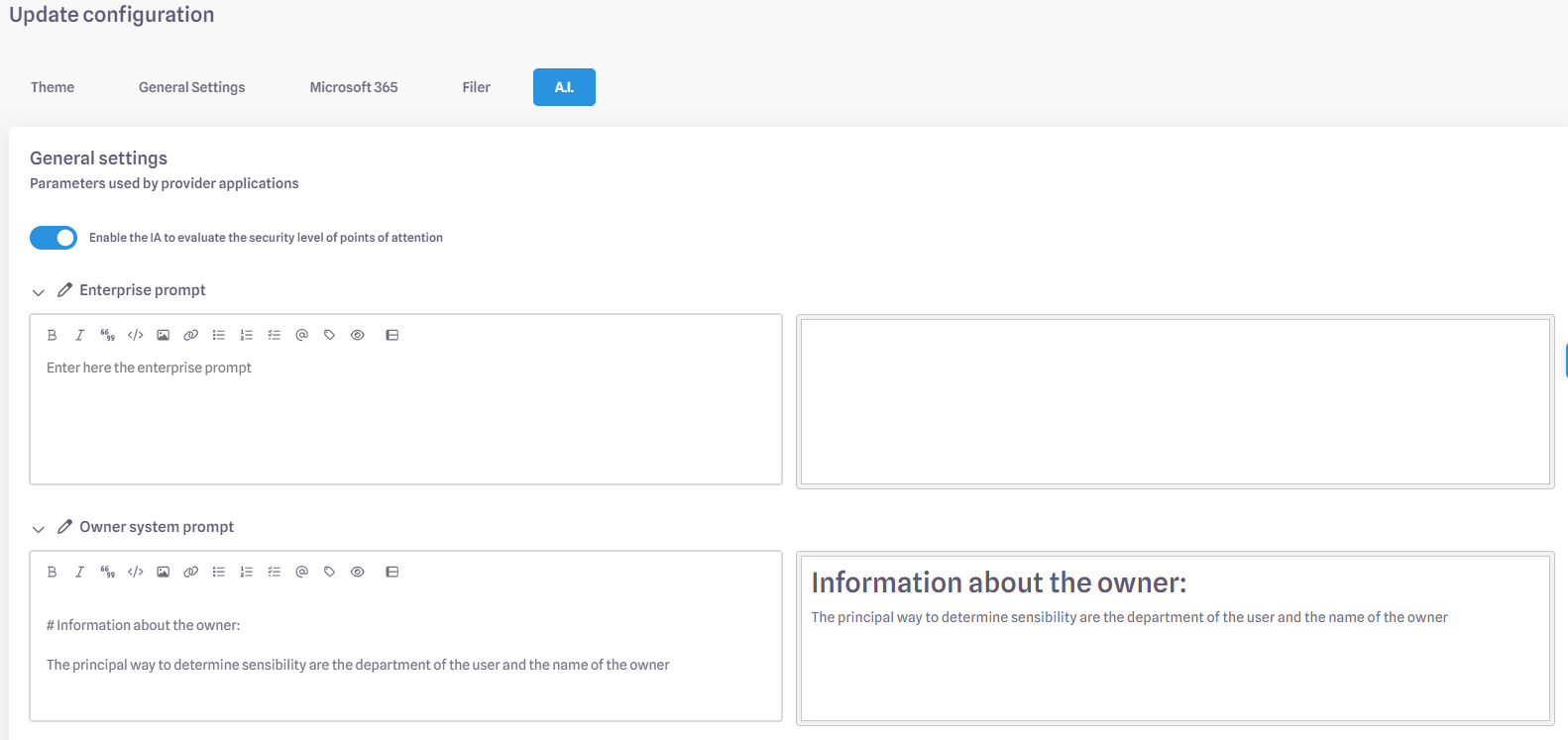
You can now prioritize your most critical security risks at a glance. Attention points (POAs) can now be displayed and ordered by a new criticity score (1–5) calculated by our AI engine. This allows users to focus on what matters most, using a score based on sensitivity, file names, user context, and more.
Once activated, the AI scoring feature automatically assigns each POA a score from 1 (Very Low) to 5 (Very High). A new AI_scoring property is created or updated whenever a POA is added or modified. This feature can be enabled through a configuration option in MyDataAdmin. Analysis is currently available in dashboards
We’ve created a new, robust data model to feed alert data into MyDataReport (Power BI). This is the first step toward replacing old manual alert reports with a centralized, self-service dashboard, giving administrators a single place to analyze alert KPIs (e.g., open, closed, transmitted). The new data model will power updated Power BI reports starting in November.
Some bugs have been corrected and technical improvements have been made on our platform.
4.80
(07/10/2025)
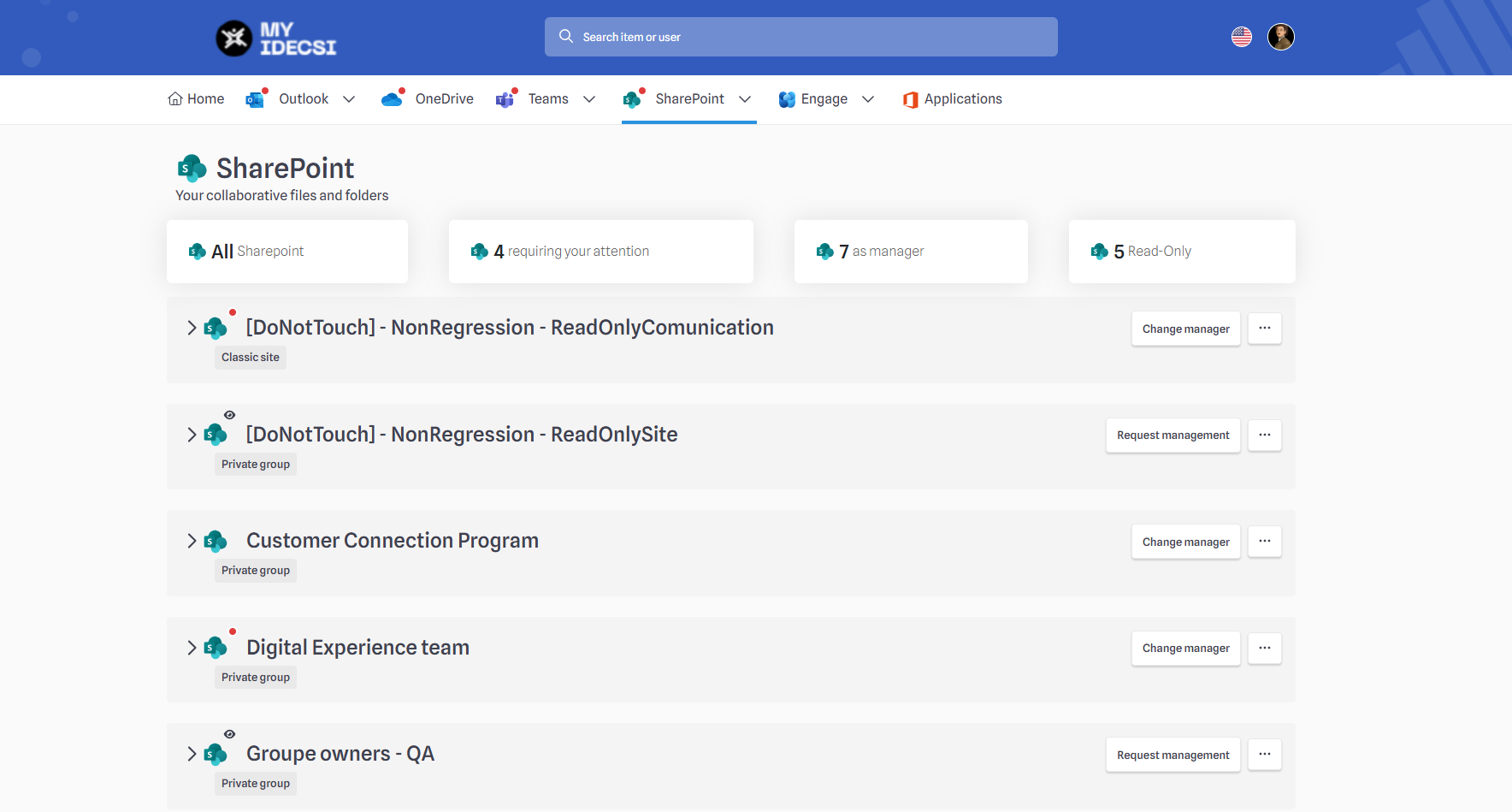
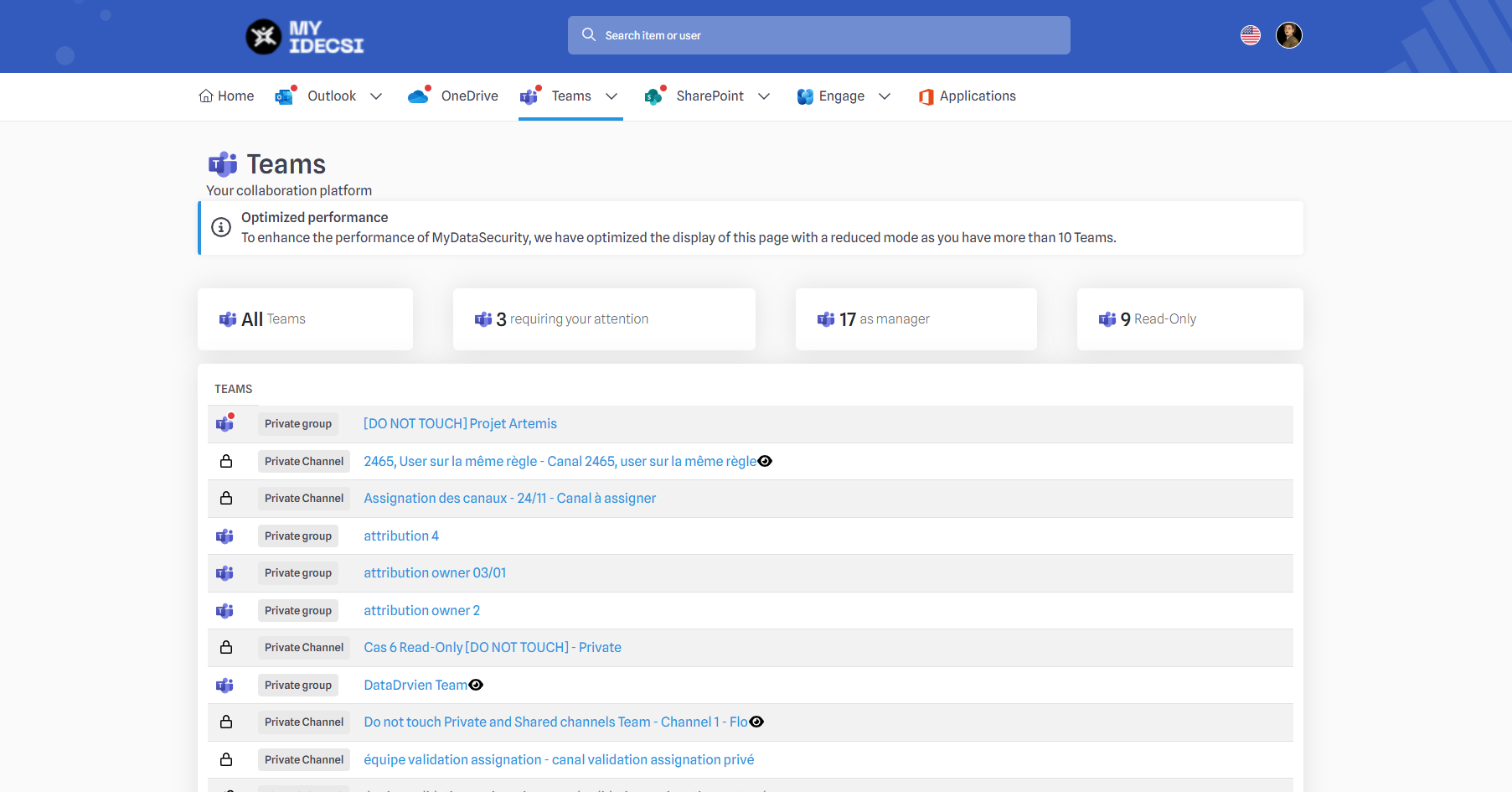
We’ve enhanced the collaborative resources pages in MyDataSecurity to help users more easily identify and manage their team-related content.
Improved visibility of flagged resources: Teams and SharePoint resources marked with Points of Attention will now appear at the top of their respective tabs.
New filter cards: Four quick-filter cards are now available at the top of the Teams, SharePoint, Engage, and Outlook pages:
All
With Attention Point
Managed by me
Read Only
Clicking a card will highlight it and instantly apply the selected filter. The default sort order remains alphabetical.
These enhancements are available in both MyDataSecurity and MyDataManagement. Filter cards will be hidden when there are one or fewer resources to display.
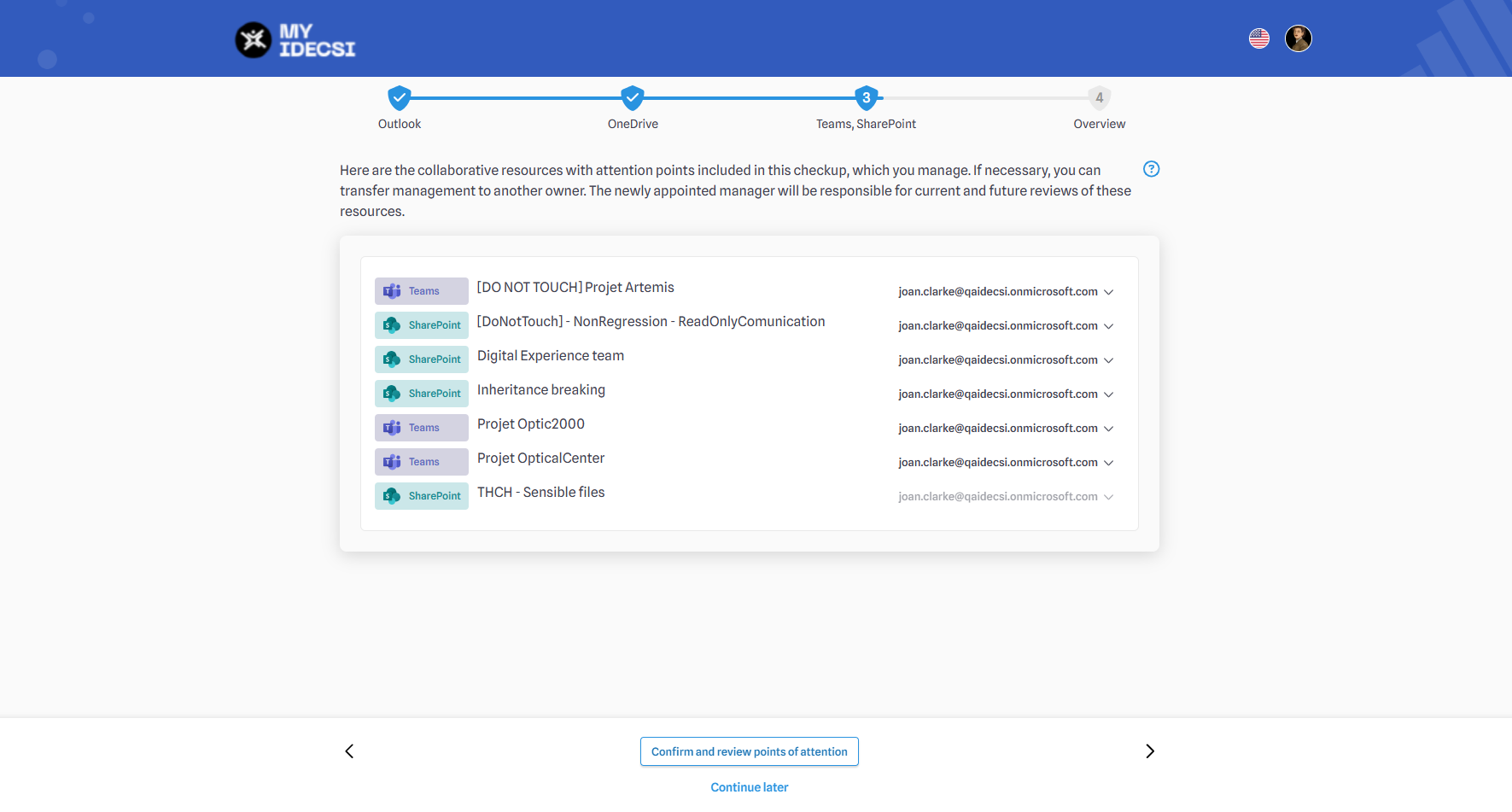
Several improvements have been made to the Management Transfer Card in the Security CheckUp interface:
Clearer display of email addresses: The label (Vous / You) has been replaced with the actual email address for better clarity.
Ownership rules: If a user is the sole owner of a resource under review, their email address will now be disabled. In this case, the appointed manager will be responsible for both current and future reviews of those resources.
Automatic step progression: If no other eligible manager is available for a given resource, the process will automatically proceed to the next step.
Improved guidance and reliability: These changes help prevent blocking situations and errors by ensuring that users only see valid transfer options and clearly understand the implications of transferring management responsibilities.
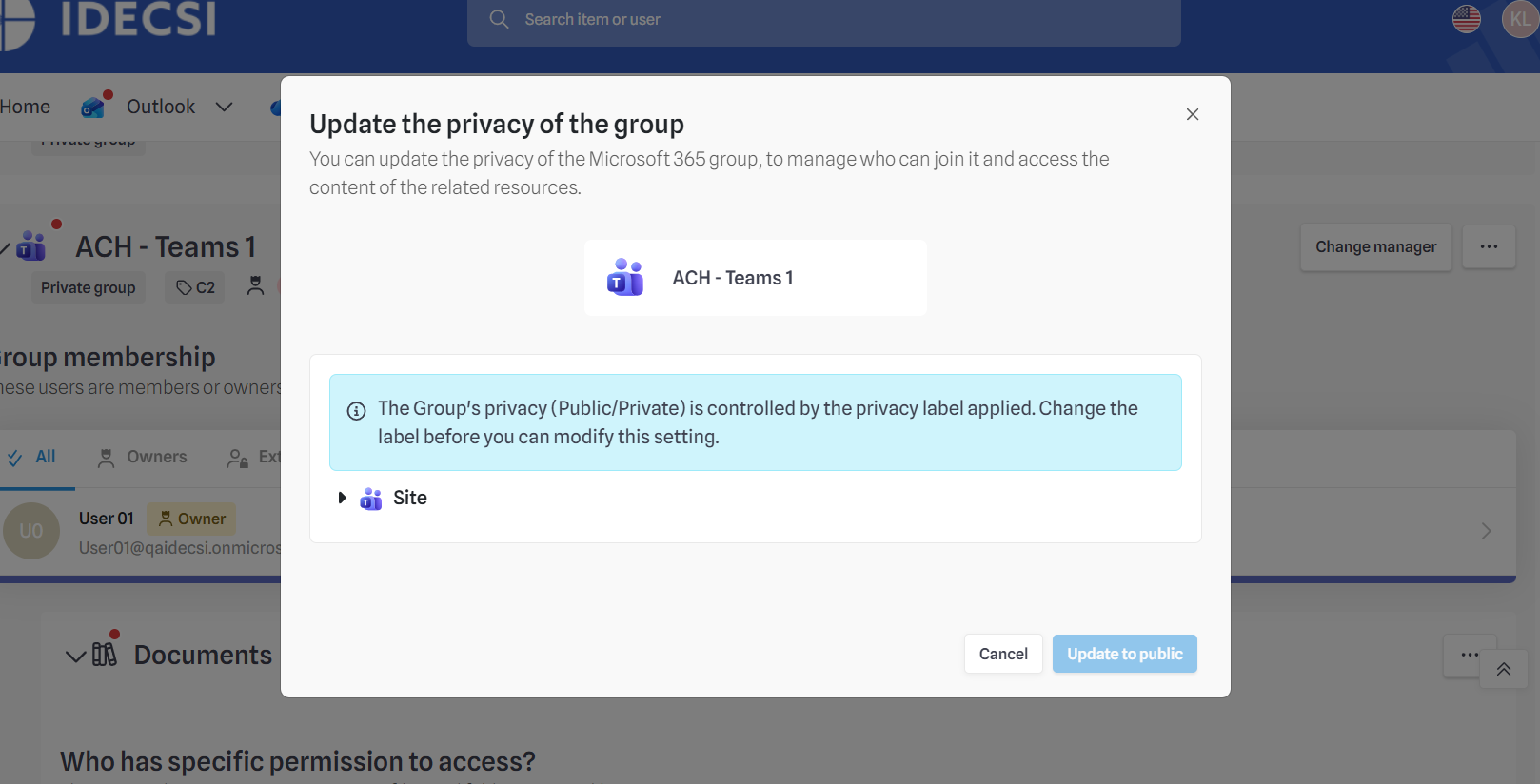
The governance option in MyDataAdmin now controls only changes from “Private” to “Public”.
The option label is updated to: “Allow end-users to update confidentiality of Microsoft 365 Group from Private to Public”.
If unchecked, the “Update privacy” action is hidden and the status button disabled in the MyDataSecurity portal.
End-users can still change resources from “Public” to “Private”.
This prevents accidental data exposure while keeping resources secure.
A new NotMemberOf("GroupName") operator is being added to Filtering Policies (FP) to exclude users in specific Active Directory groups.
This enables queries such as:
IsEnabled == True && IsDomain == True && OnPremisesExtensionAttributes.ExtensionAttribute15 ~= "ME5" && NotMemberOf("VIP_Users")
allowing administrators to exclude VIP users or other designated groups from selections.
Some bugs have been corrected and technical improvements have been made on our platform.
4.79
(02/09/2025)
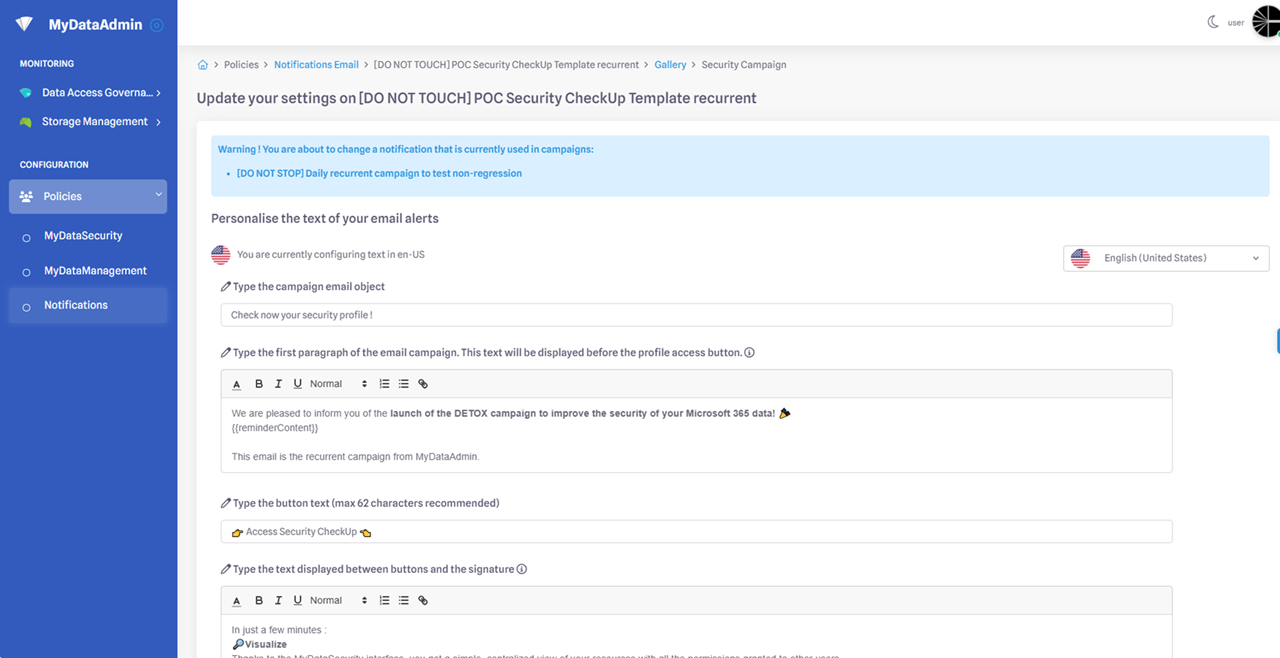
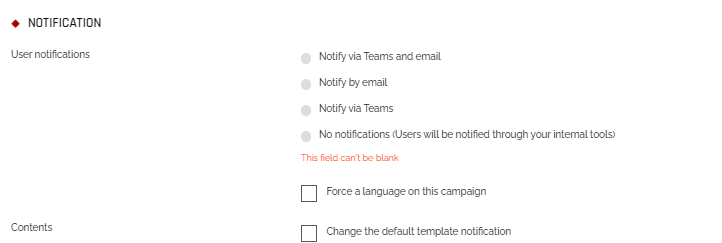
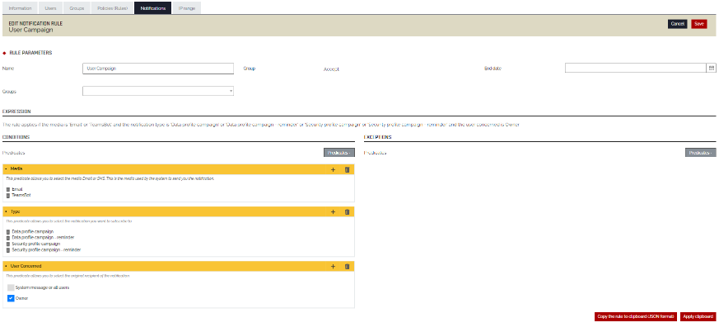
Several improvements and new features have been added to the Notifications tab in MyDataAdmin.
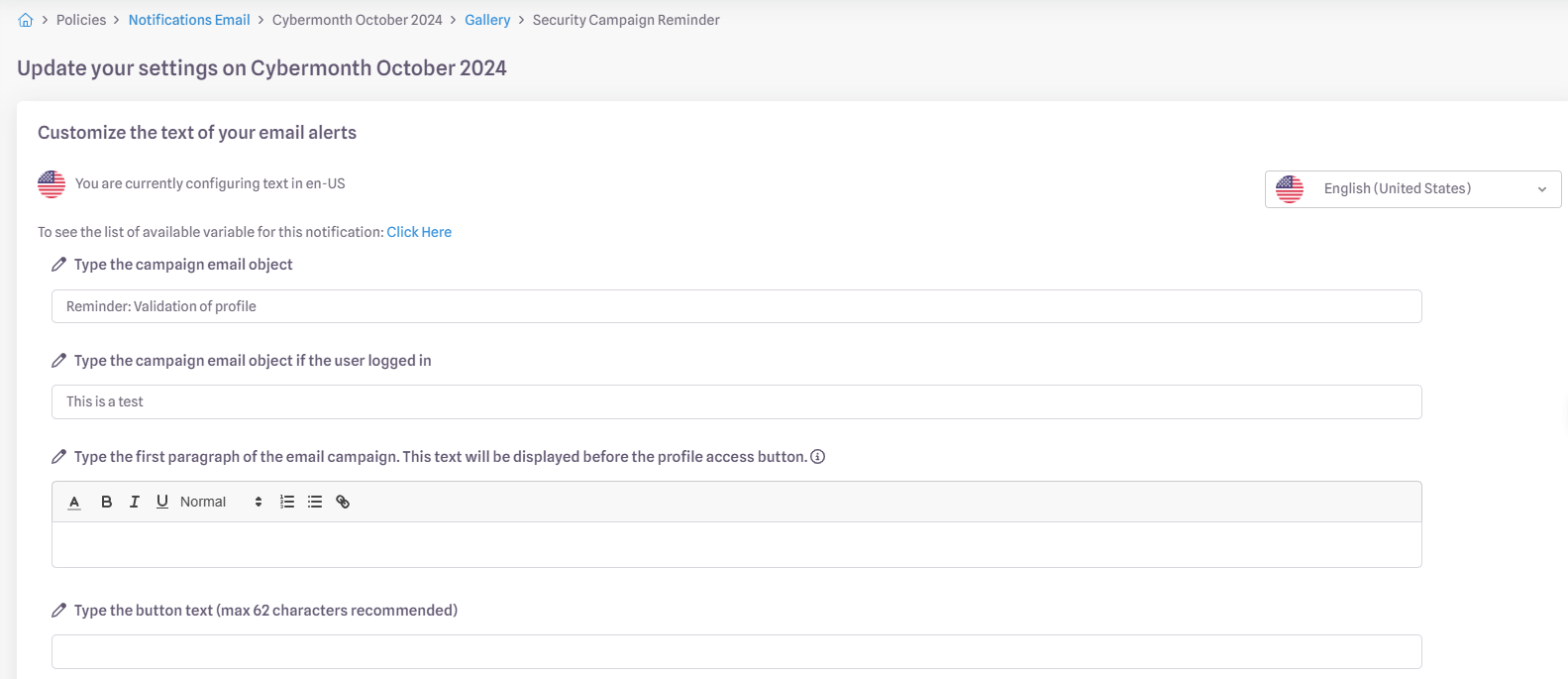
- When customizing the template, users can override the default email subject line for campaign reminder notifications if they do not want the subject 'You have logged in but have not validated your profile' to appear.
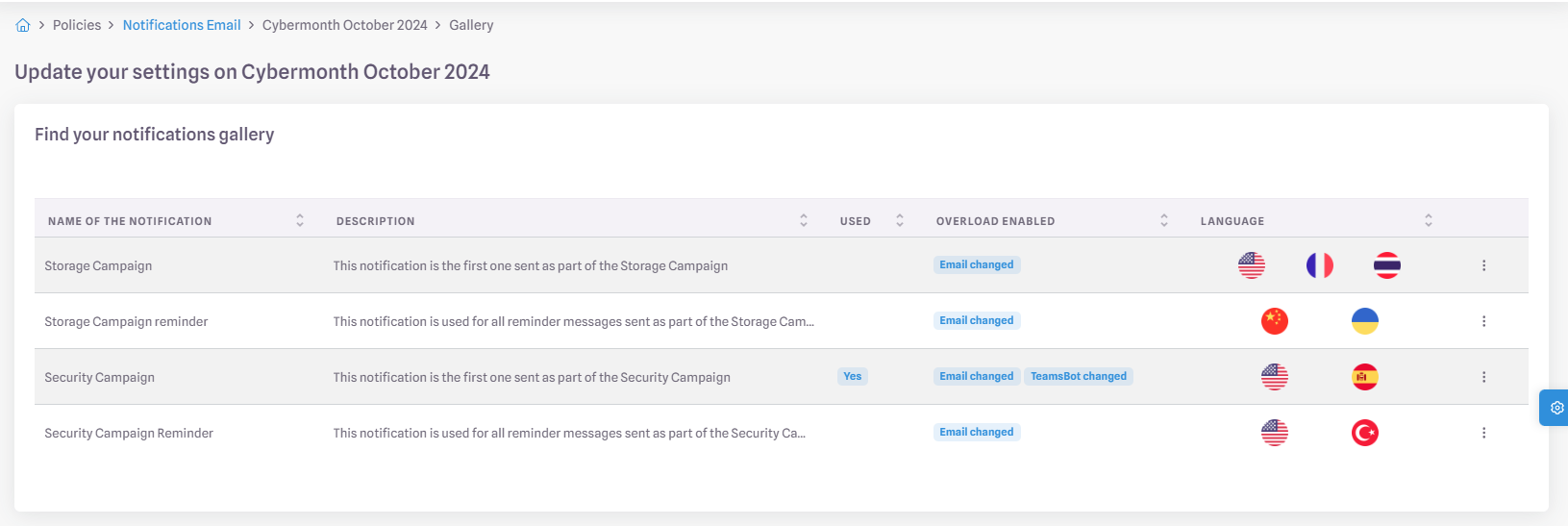
- Languages that have been subject to specific overloading are now displayed in the notification management interface:
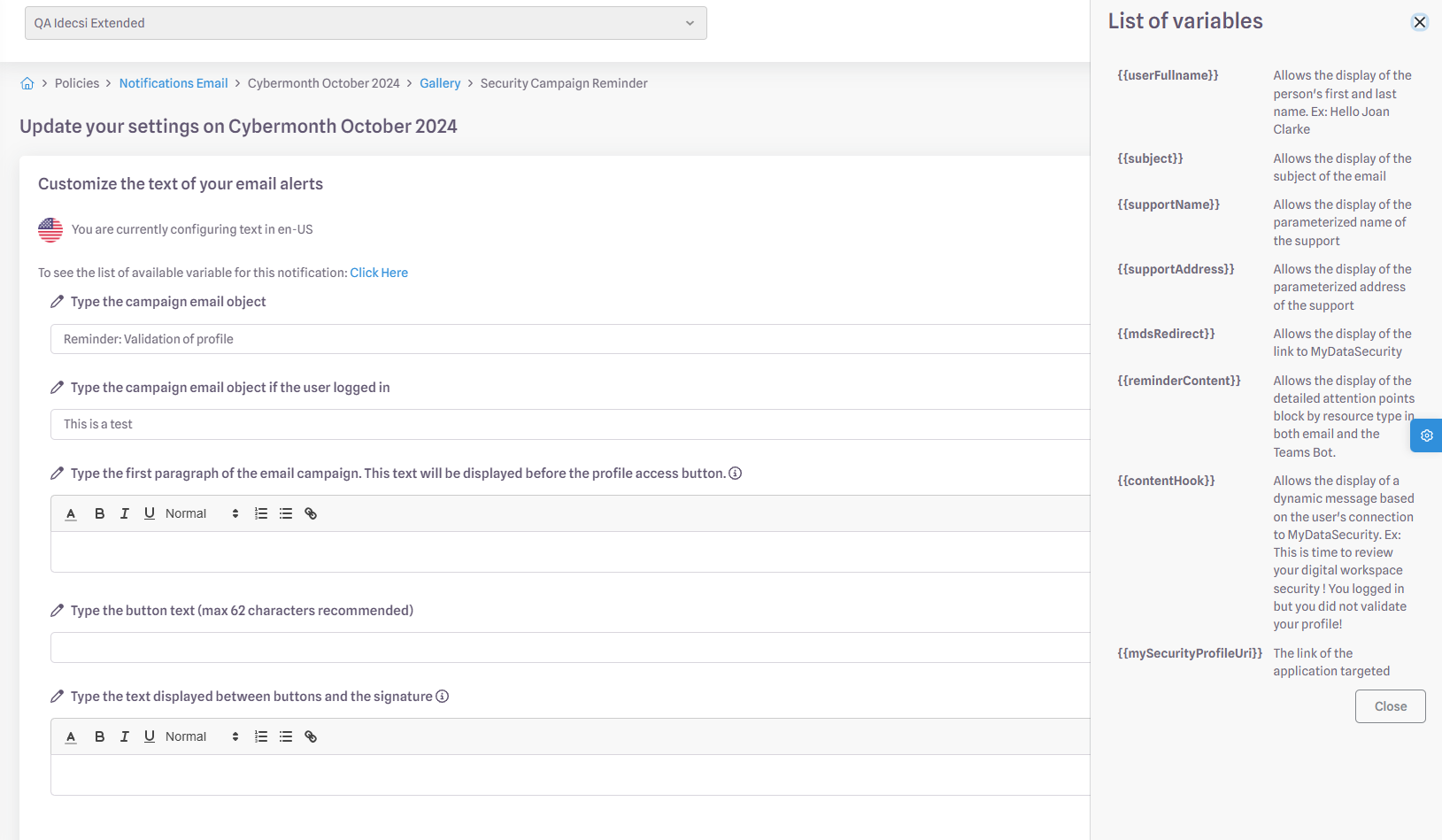
- Users can now access the list of variables directly from the user interface:
Deployment will be gradual with LEM updates
Enhanced Filers Collection
Implementation of differential collection.
Deployment will be gradual, depending on the clients.A full collection is performed at regular intervals to check the complete status of the collected files.
A differential collection speeds up the detection of file additions and deletions.
It also allows changes to be displayed more quickly in Permission Explorer.
This improvement increases both the speed and efficiency of detecting changes in collected files.
Some bugs have been corrected and technical improvements have been made on our platform.
4.78
(15/07/2025)
Following the launch of the "Policies" section in MyDataAdmin, we’re continuing to improve interface customization features:
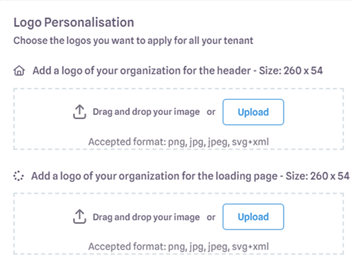
- The logo upload feature now includes image resizing.
- SVG image uploads are now supported.
- You can now upload a custom favicon.
- The default favicon for MyDataSecurity/ MyDataManagement and MyDataAdmin has been updated.
Some bugs have been corrected and technical improvements have been made on our platform.
4.77
(03/06/2025)
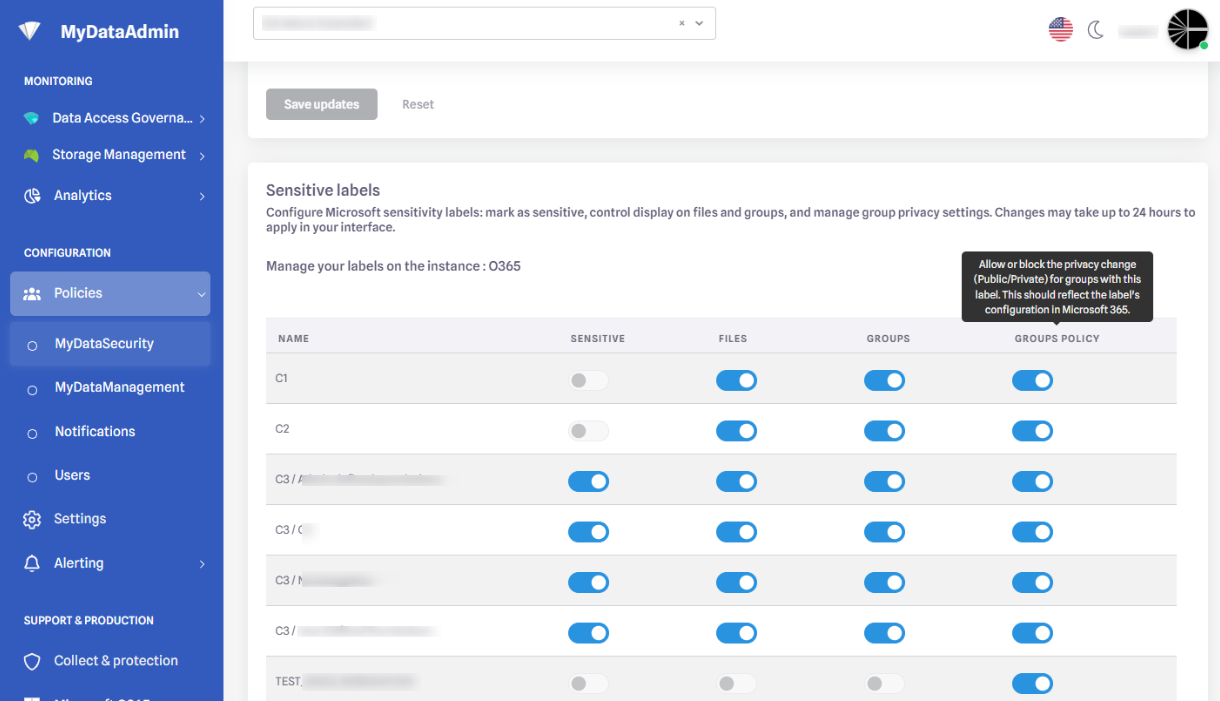
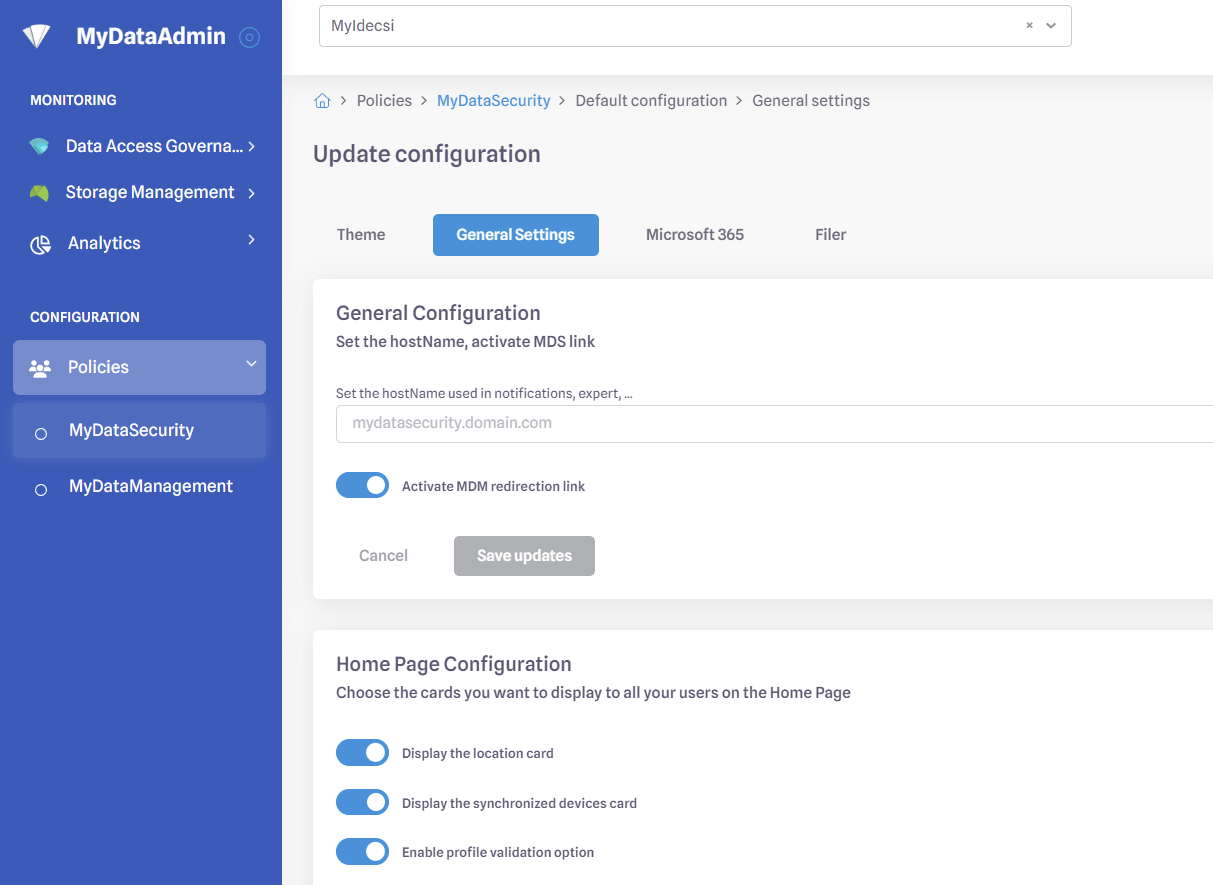
You can now manage and configure your MyDataSecurity and MyDataManagement platform on MyDataAdmin through the policies tab.
You can now :
- Change the look and feel of MyDataSecurity and MydataManagement
- Change the Home page configuration
- Activate/deactivate the SecurityCheckUp option
- Create a banner on the Homepage
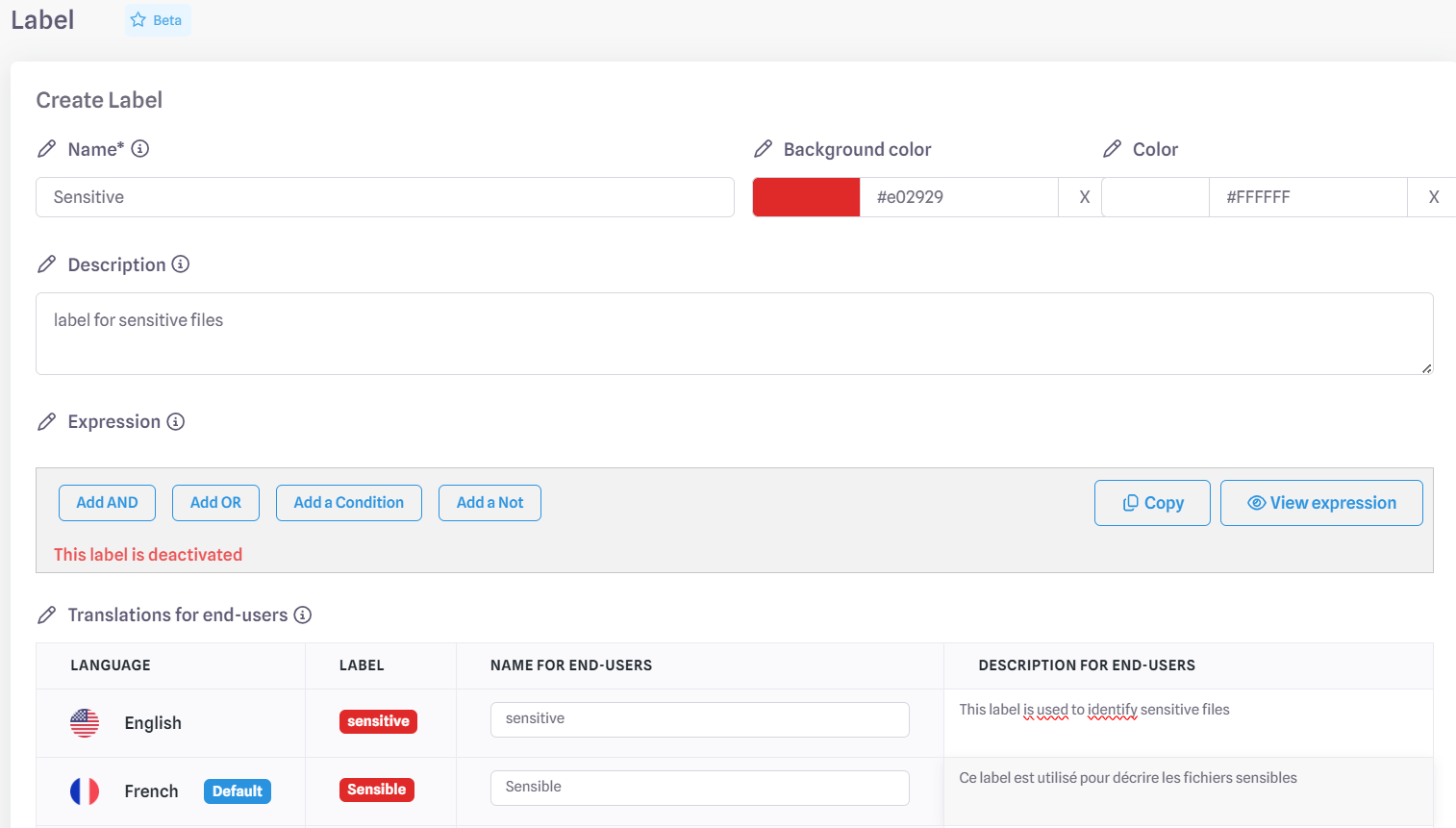
- Configuration your M365 ressources
- Manage your sensitivity labels
Documentation will be add on the 3rd of June
Some bugs have been corrected and technical improvements have been made on our platform.
4.76
(13/05/2025)
You can now add to the Teams Bot messages :
- The list of attention points
- A personalized text before and after the buttons
- A different name for MyDataSecurity / MyDataMangement.
HVE is now available (OAUTH or SMTP) to send a large number of emails.
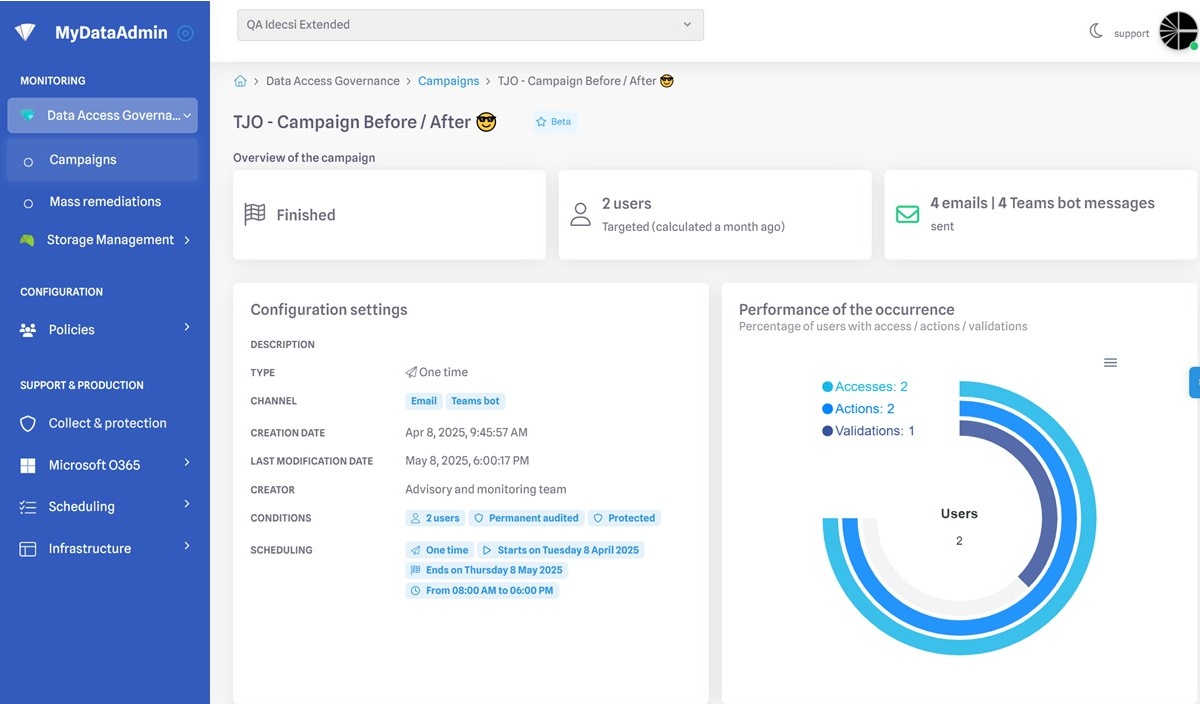
Added a "last modified " filter.
Added the name of the campaign creator.
Available on the 20th of may
Some bugs have been corrected and technical improvements have been made on our platform.
Related links will lead to a 404 error page.
4.75
(08/04/2025)
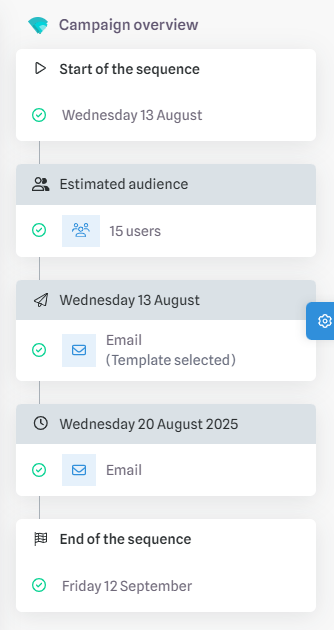
A new administration platform is now available upon request for managing campaigns, including :
- Email and bot notifications
- The ability to save campaigns for later use
- An improved email scheduling system
- Email/Teams preview before launching a campaign
The previous campaign management system will be decommissioned by the end of 2025
Upon request to your Customer Support team, you can now:
- Import a custom HTML template
- Customize text around the Point of Attention block and the 'Access My Profile' button
- Manage multiple templates
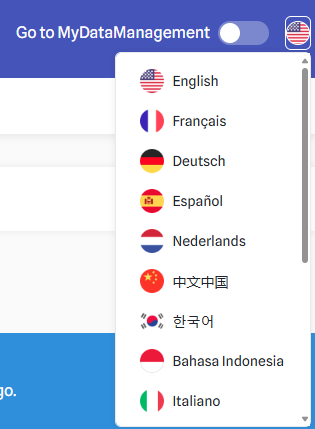
- Enable multi-language support
Added before-campaign and after-campaign data on the powerBI Dashboard.
Available on the 15th of April, only for campaigns started after the 8th of April
Some bugs have been corrected and technical improvements have been made on our platform.
- Removed the Google Map API located in the IP Range tab for security reasons
- Removed the start learning, Set learning end date, stop learning, and Stop protection buttons from the Protections tab following the implementation of the Auto-Import functionality,
4.74
(04/03/2025)
Some bugs have been corrected and technical improvements have been made on our platform.
4.73
(04/02/2025)
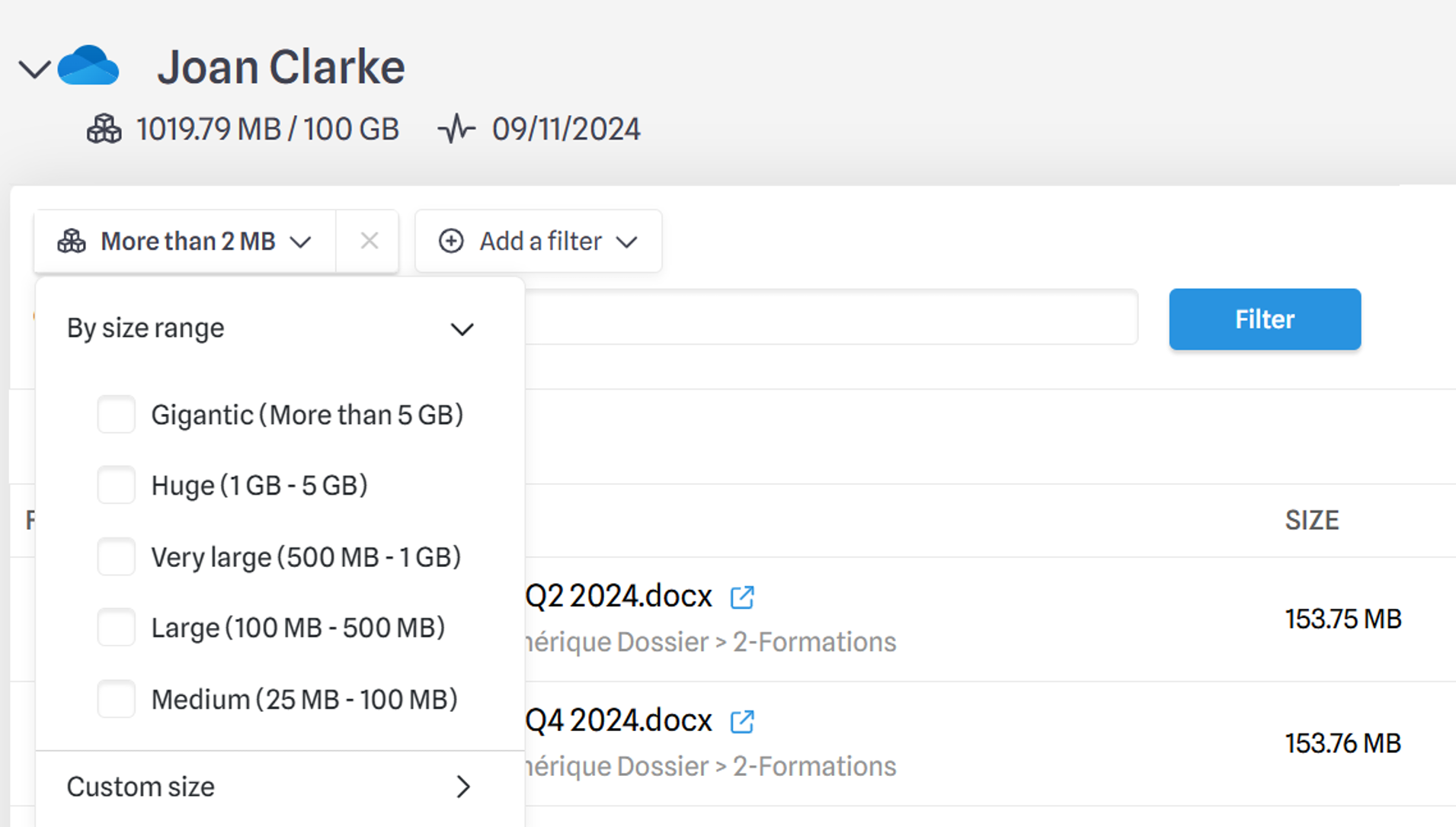
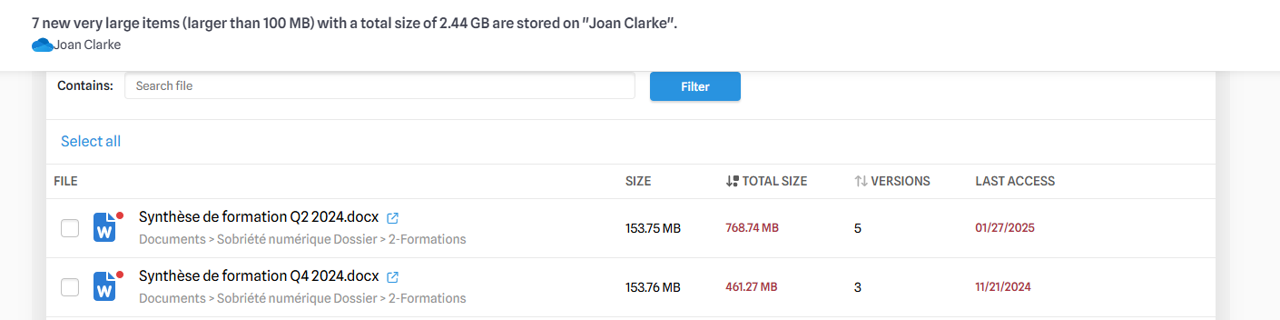
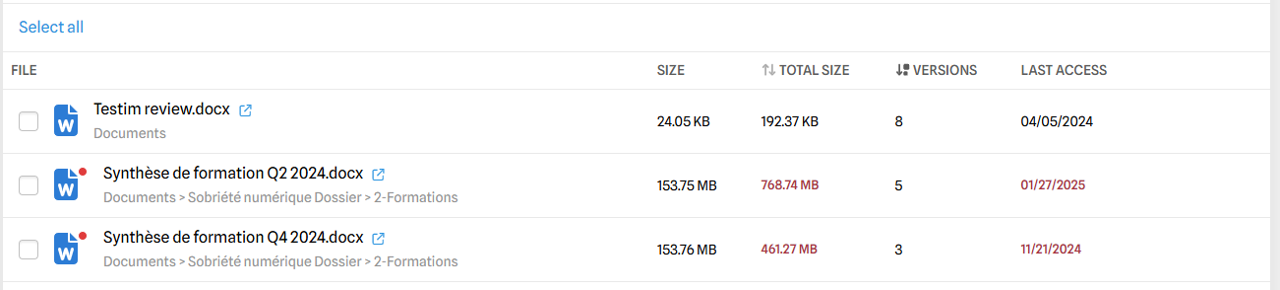
- The size filter now relies on the total file size (which includes all versions) rather than just the size of the file itself.
- The "Large Items" Point of Attention is now based on the total file size.
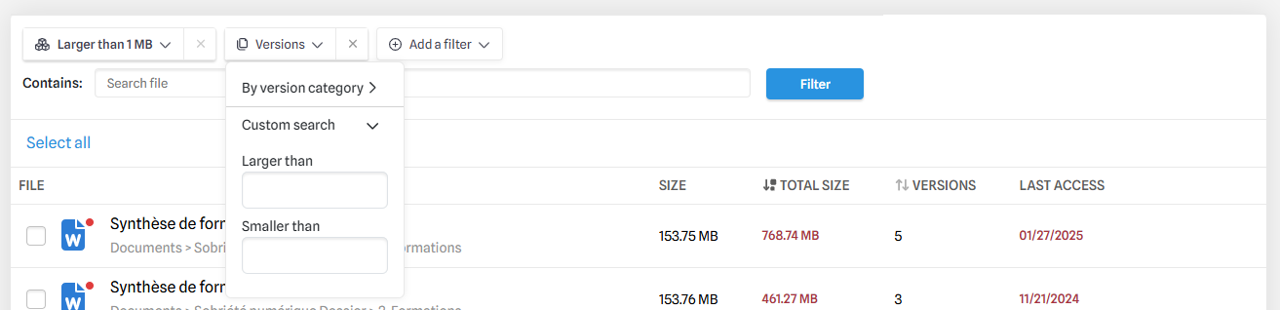
- A new filter has been added to sort by the number of versions.
- Additionally, a new sorting option allows you to display files with the most versions of the largest total size at the top.
- A link to user profiles has been added from the MDS Usage and Point of Attention pages.
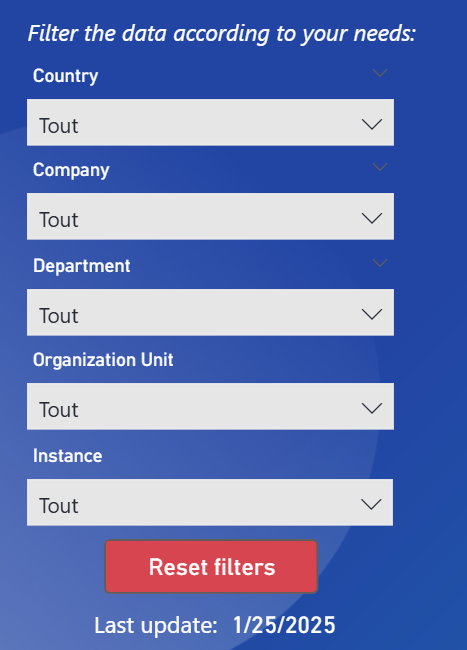
- A new instance filter has been added.
- It is now possible to filter organizational units while respecting the hierarchy in the Expert platform.
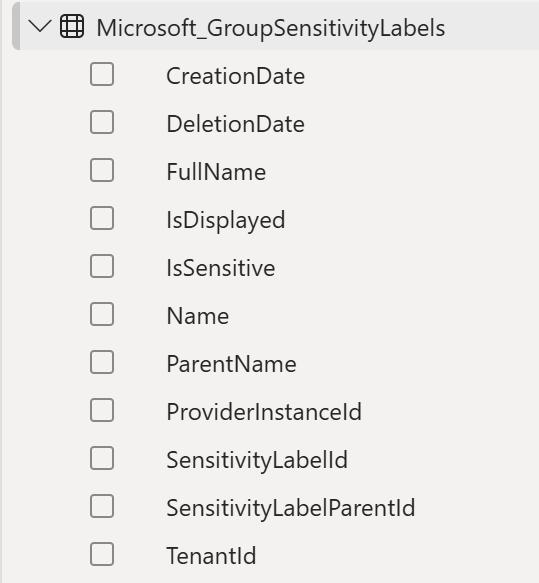
- Two "isSensitive" columns have been added to the Sensitivity Labels table:
- To highlight users sensitive to Points of Attention.
- To highlight users displayed in MDS.
Some bugs have been corrected and technical improvements have been made on our platform.
4.72
(07/01/2025)
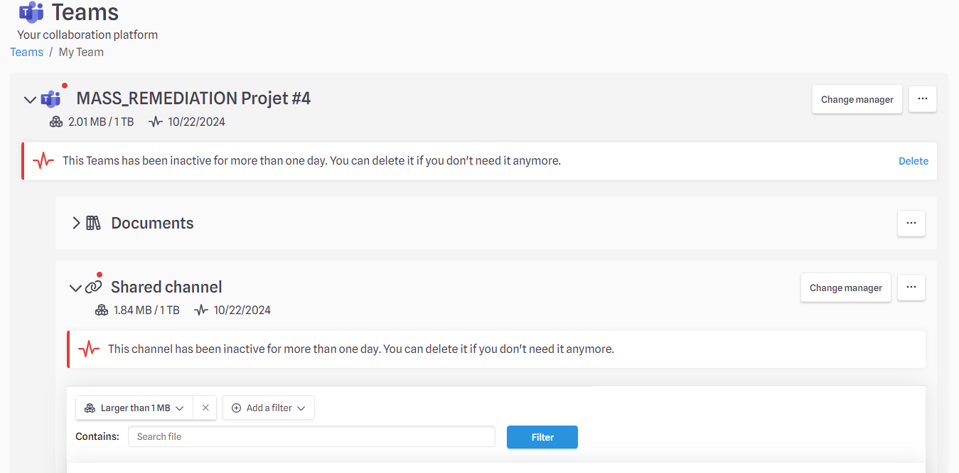
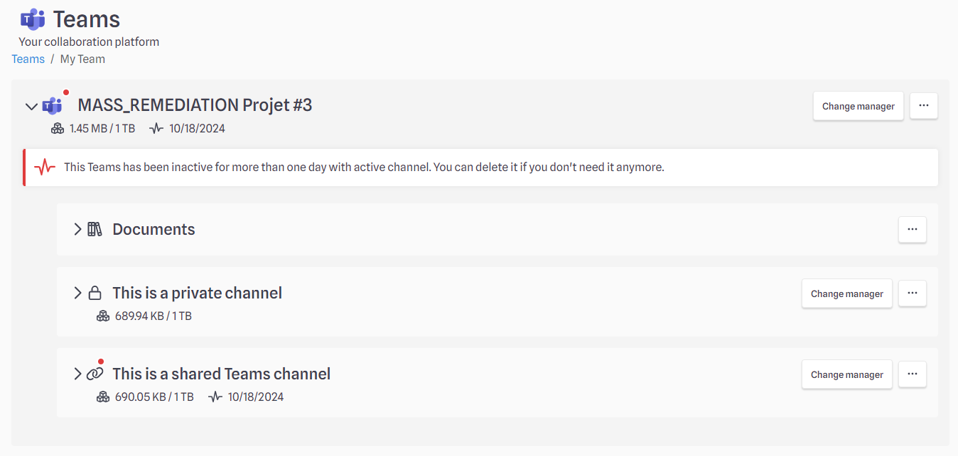
Improved display of Points of Attention on Teams depending on channel inactivity:
- Banner on Teams / Channel level according to source of inactivity
- More relevant location of attention points
- Deletion action available for the whole Teams (if every channels are inactive)
Example 1:
We display a banner at the Teams and channel level.
We display the “Delete” function at Teams level only if all channels below are also inactive.
Example 2:
We don't display the “Delete” function at the Teams level if at least one of the channels is active.We display a banner at the Teams and channel level.
- Until now, the date displayed in the Campaign tab of the dashboard was synchronized with the data publication date. From now on, it will be replaced by the real date of the event. Example : if a profile validation has been done on 27/12/2024, it will be displayed as 27/12/2024, instead of 28/12/2024, date of the dashboard update.
- To meet the need for traceability and campaign follow-up, data retention in the facts table has been extended from 6 to 18 months.
- In the dashboards, we will add links to the users' MyDataSecurity profiles, which we will build dynamically.
⚠ On the 14/01/2025, the dashboards won't be refreshed for 1 day.
Some bugs have been corrected and technical improvements have been made on our platform.
4.71
(03/12/2024)
Dashboards publication have been improved to be more reliable and reduce the risk of empty dashboards.
Some minor display bugs have been rectified : empty KPIs, validation dates for MDM usage etc.
We have added a new alert rule, able to generate alerts only if the inbox rule created or modified is a conditional delete with a condition set on the subject of the email.
Some bugs have been corrected and technical improvements have been made on our platform.
4.70
(05/11/2024)
- We added a pre-configured footer link by default on newly created tenants directed to the user guide
Some bugs have been corrected and technical improvements have been made on our platform.
4.69
(01/10/2024)
Some bugs have been corrected and technical improvements have been made on our platform.
4.68
(03/09/2024)
Some bugs have been corrected and technical improvements have been made on our platform.
4.67
(30/07/2024)
Some bugs have been corrected and technical improvements have been made on our platform.